📊 Application — Cell Culture Monitoring

Cell Culture Monitoring —
Non-Invasive. Automated. Remote.

Analyze up to 24 cell cultures simultaneously — 24/7, without opening the incubator. Automatic confluence tracking, remote access from anywhere, and never miss a passage point again.

24
wells in parallel
24/7
continuous monitoring
10 min
imaging interval
0
lab visits required
★★★★★

"We used the zenCELL owl for growth assays of genetically modified clones and assays of sensitivity to long-term stress. In both cases the unique feature of the owl to provide continuous monitoring of cell growth and detachment yielded valuable data for our final manuscript. The team quickly responded whenever we had a problem with the device and was very helpful. When our device needed repairing, they provided us with a replacement device, so we could seamlessly continue with experiments and were not slowed down during revisions — which was invaluable."

Mueller, Mara
MPI Frankfurt, Germany
Why it matters

Why Cell Culture Monitoring Changes Everything

Manual cell culture monitoring — walking to the lab, pulling plates from the incubator, checking under the microscope — is time-consuming, error-prone and disrupts the culture conditions every time. zenCELL owl eliminates all of this.

Never Miss a Passage Point

Set a confluence threshold and get notified automatically when your cells reach 80% — or any value you choose. No more coming in on weekends to check. The system alerts you when action is needed.

🏠
Cells Stay in the Incubator

Every time you remove a flask to check it under a microscope, temperature drops, CO₂ fluctuates, and contamination risk increases. zenCELL owl images inside the incubator — no disruption whatsoever.

📱
Remote Access from Anywhere

Check current confluence, morphology and growth curves from your PC, tablet or phone — whether you are at your desk, at home, or at a conference. Your cell cultures are always one click away.

🔄
24 Cultures Simultaneously

Monitor up to 24 wells, flasks or dishes in parallel. Compare different cell lines, passage numbers or treatment conditions side by side under identical environmental conditions.

📊
Complete Growth History

Every 10 minutes, an image and confluence value is recorded automatically. Retrospective analysis of any time point. Create growth curves, compare passages, and document your cultures completely.

🧪
Hypoxia & Special Conditions

Monitor cells under hypoxia, defined CO₂ levels, or other special incubator conditions — without ever breaking those conditions to check. Essential for stress assays and defined culture environments.

How zenCELL owl works

Three Steps to Fully Automated Monitoring

01 — Automate Your Cell Culture Monitoring

Place zenCELL owl on any standard incubator shelf. Connect via USB-C. Define your imaging interval and confluence thresholds. The system takes over from there — imaging 24 wells automatically, around the clock.

  • Up to 24 wells recorded in parallel
  • Minimum imaging interval: 10 minutes
  • Long-term experiments from hours to many days
  • Automated confluence calculation per well in real time
zenCELL owl cell culture monitoring — overview of all 24 wells

24-well overview in zenCELL owl software

zenCELL owl single well view — cell culture monitoring detail

Single well detail view

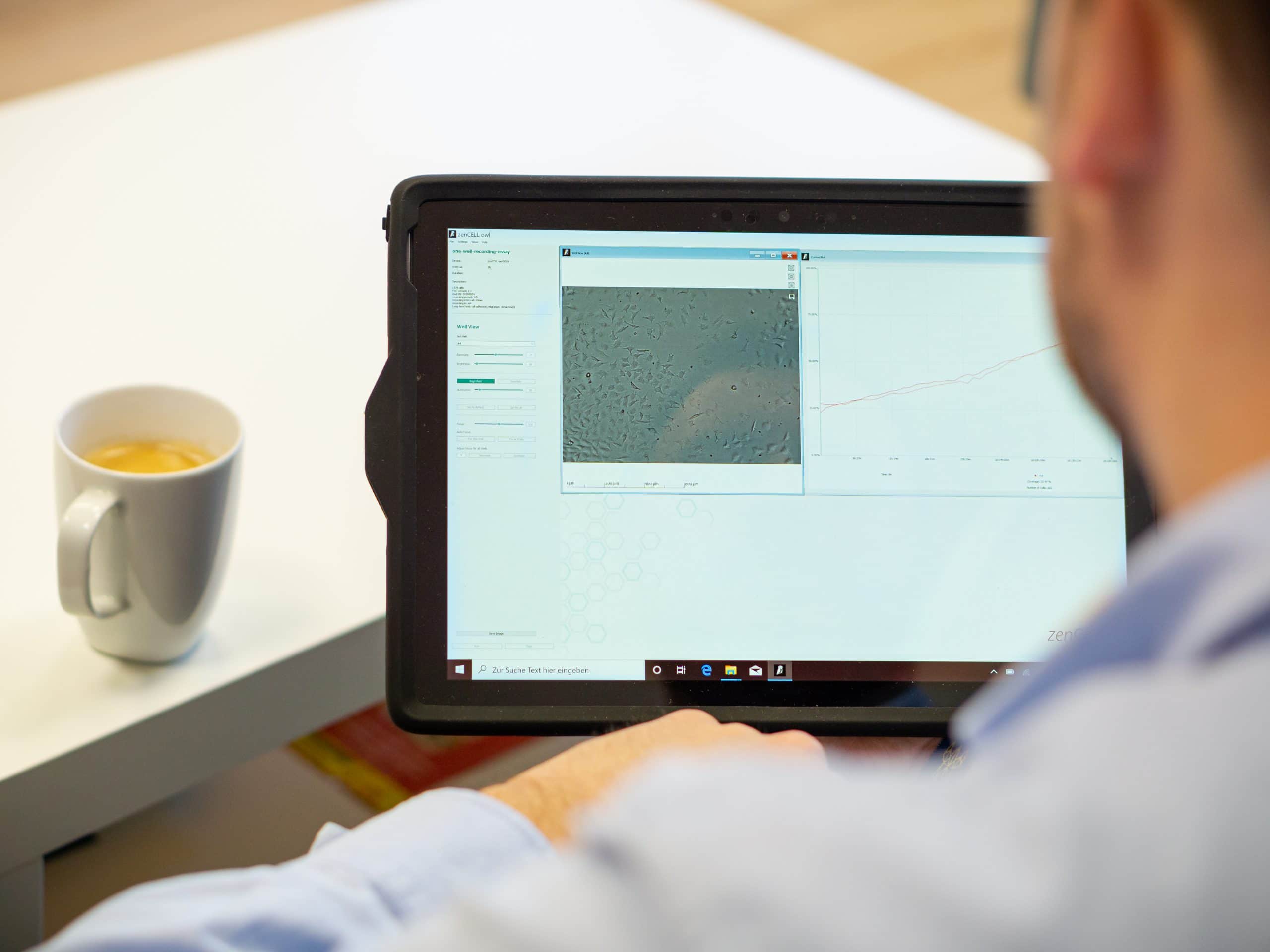
zenCELL owl remote cell culture monitoring from tablet at home

02 — Watch Your Cells Remotely

Repeated cell culture lab visits are time-consuming and inefficient. Evaluate the current condition of your cultures online — from outside the lab, at your preferred frequency. React quickly if necessary.

  • Browser-based remote access — no VPN required
  • Check confluence, morphology and growth curves anytime
  • Set automated confluence threshold alerts
  • Access from PC, tablet or smartphone

03 — Ensure Stable Quality

Consistent cell culture quality requires defined, stable conditions. zenCELL owl keeps cells in the incubator throughout — preventing temperature, CO₂ and humidity fluctuations and reducing contamination risk to near zero.

  • No temperature fluctuations during imaging
  • No CO₂ disruption from opening the incubator
  • Contamination risk significantly reduced
  • Hypoxia and special conditions fully supported
zenCELL owl timelapse of cell growth in culture monitoring

Timelapse of cell growth over time

zenCELL owl well history — cell culture growth curve

Well history — complete growth curve

Software

Everything in One View — Intuitive Software Included

The zenCELL owl software is included at no extra cost. No annual licence fee. Browser-based, ImageJ compatible, and fully open API for automation integration.

zenCELL owl software — full well history and growth curve analysis

Full well history with growth curves — all time points available retrospectively

Complete Growth History — Every Time Point

Every image and confluence value recorded over the entire experiment is available for retrospective analysis. Zoom into any time point, compare wells, export data, or create timelapse videos for documentation.

  • Confluence curve per well — full experiment duration
  • Mean values and standard deviations per well group
  • Timelapse video export
  • CSV and image export for ImageJ / FIJI
  • Open API — Hamilton · Beckman · Python · REST
  • No annual software licence fee
Practical example

L929 Mouse Fibroblasts — Growth Monitoring in Practice

One of the most commonly monitored cell lines — L929 mouse fibroblasts — imaged continuously over 48 hours with zenCELL owl brightfield imaging.
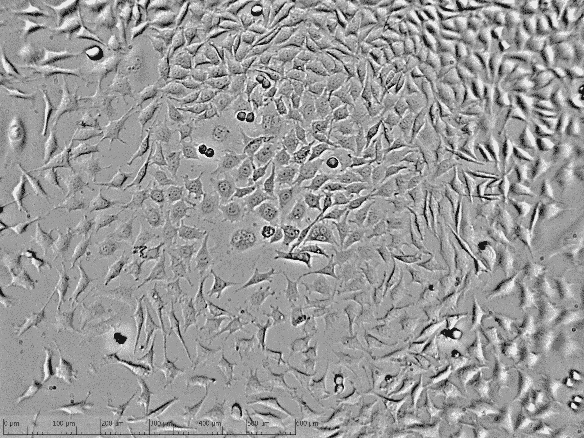
L929 mouse fibroblast cell culture monitoring — 48 hour brightfield zenCELL owl

L929 mouse fibroblasts — brightfield imaging after 48 hours. Digital phase-contrast. Scalebar: 200 µm.

Continuous Monitoring — No Lab Visits

L929 cells were monitored continuously over 48 hours without a single manual imaging step. Confluence was calculated automatically every 10 minutes — providing a complete picture of growth dynamics that a daily manual check would have missed entirely.

  • 48 hours continuous monitoring
  • No manual imaging steps required
  • Full growth curve available retrospectively
  • Morphology changes visible at single-cell resolution
Siehe alle Veröffentlichungen
50+
peer-reviewed publications cite zenCELL owl — validated across a wide range of cell lines and monitoring applications
Siehe alle Veröffentlichungen
FAQ

Cell Culture Monitoring — Common Questions

How does zenCELL owl monitor confluence without opening the incubator?+
zenCELL owl sits inside your incubator on a standard shelf. It images through the transparent bottom of standard cell culture vessels — flasks, dishes, or multi-well plates — using brightfield illumination. Images are captured at your chosen interval (minimum 10 minutes) and transmitted via USB-C to the software, which calculates confluence automatically in real time. No opening, no disruption, no temperature or CO₂ fluctuations.
Can I get automated alerts when my cells reach a certain confluence?+
Yes. You can set confluence threshold alerts for each well individually. When the threshold is reached, the system notifies you — so you never miss a passage point, even if you are away from the lab. This is one of the most valued features by routine cell culture users.
Which cell culture vessels are compatible?+
T-flasks (T-12.5 to T-175), cell culture dishes (35, 60, 100mm), 6-well, 24-well and 96-well plates. The included adapter frame fixes well plates magnetically for reproducible positioning. The included perforated bottom plate handles T-flasks and dishes. All standard vessels with transparent bottoms are supported.
How many cell cultures can be monitored simultaneously?+
One zenCELL owl monitors up to 24 wells or vessels simultaneously using 24 independent cameras. Multiple zenCELL owl units can be placed in the same incubator and managed from one software instance. With the zenCELL owl SCAN add-on, full 96-well and 384-well plate scanning is also possible.
Is the cell culture monitoring software included — are there annual fees?+
The zenCELL owl software is included with the hardware at no extra cost. No annual licence fee, no subscription, no mandatory service contract. ImageJ integration is free and open-source. The optional AI cell counting model (€10/month per cell line) is the only chargeable add-on.

See Cell Culture Monitoring Live —
Free Remote Demo

Watch zenCELL owl monitor real cells inside a real incubator. Remote access demo, confluence alerts and growth curves — live, on request.

Free via MS Teams On request No commitment Rückmeldung innerhalb 24h
Live-Ansicht

See zenCELL owl
live, 30 min, free online

Real cells. Real data. Real comparison. Watch AI cell counting, XYZ stage and full software live inside a real incubator — twice a week via MS Teams.

Full course of live cell imaging

Get your free live online demonstration of the zenCELL owl directly inside an incubator, available twice per week.

Remote-Demo

or