zenCELL owl Software

Powerful Analysis. Simple to Use.

The zenCELL owl software runs on any Windows PC. No cloud subscription, no internet required after installation. Your data stays in your lab.

Feature 01
Project & Experiment Management

Organise all your cell culture experiments in projects. Set imaging intervals (minimum 1 minute), choose your well layout, and assign cell types. Everything is saved automatically.

Feature 02
Live Cell Image Viewer

View all 24 wells simultaneously in the overview grid. Click any well to zoom in. Compare timepoints side by side. Navigate through your entire imaging history with a single click.

Feature 03
AI Confluency Analysis

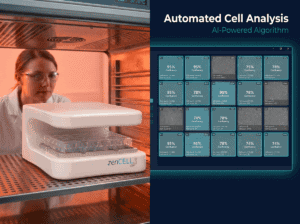
Automated confluency measurement at every time point. The AI algorithm calculates surface coverage (%) and generates growth curves — no manual counting, no subjectivity.

Feature 04
Timelapse & Video Export

Generate automated timelapse videos (AVI format) from any experiment. Export images as PNG or JPG, data as CSV or Excel — all publication-ready.

Feature 05
Temperature & Environment Monitoring

The integrated temperature sensor logs incubator conditions throughout every experiment. Detect temperature fluctuations that could affect your results — all logged automatically.

Which Version Do I Need?
Check your device serial number (printed on the bottom of your zenCELL owl) to find the right version.
v2.0
For serial numbers starting with:
zC01001…
Devices purchased before 2021

Legacy version for older hardware. Stable and fully supported for basic imaging and confluency analysis.

Download v2.0
v3.4.1
For serial numbers starting with:
zC01002 and higher
Also for Demo Devices

Last fully stable release. Recommended if you experience issues with v3.7.

Download v3.4.1
Latest
v3.7
For serial numbers starting with:
zC01002 and higher
Also for Demo Devices

Newest version with latest AI analysis improvements. Recommended for all current devices.

Download v3.7
Free
Demo
No device required
Anyone can download
Full-featured exploration mode

Explore the full software with pre-loaded real experiment data. No zenCELL owl hardware needed.

Download Demo →
⚠️ Not sure which version to choose? Contact us with your serial number and we'll help you select the right download.
System Requirements
Operating System
Windows 10 or Windows 11 (64-bit)
Connection
USB-C port · USB 3.0 recommended
RAM
Minimum 8 GB · 16 GB recommended
Storage
SSD recommended for long-term experiments
Imaging Interval
Minimum 1 minute · 10 min recommended for 24-well
Internet
Not required after installation · Data stays local
✓ Free · Open Source · No Plugin Required

ImageJ Integration — Included at No Cost

Unlike Incucyte and other proprietary systems, zenCELL owl exports data in formats fully compatible with ImageJ — the world's most widely used scientific image analysis platform.

Export your images as PNG or JPG, your data as CSV — and continue your analysis in ImageJ, CellProfiler, or any other open-source tool. No vendor lock-in. Your data, your way.

Try the Software Now — Free

Download the demo version and explore real cell imaging data, confluency analysis and timelapse viewing — without any hardware.

Download Demo Version →
zenCELL owl in action

See zenCELL owl
Live — 30 Min.
- Free -

Real cells. Real data. AI cell counting,
XYZ stage & full software — live inside the incubator. Twice a week via MS Teams.

Book Your Free Remote Demo

Watch zenCELL owl image live inside an incubator. Available.

Request Your Demo Slot
e.g. confluency monitoring, scratch assay, spheroids...
Vue en direct

See zenCELL owl
live, 30 min, free online

Real cells. Real data. Real comparison. Watch AI cell counting, XYZ stage and full software live inside a real incubator — twice a week via MS Teams.

Full course of live cell imaging

Get your free live online demonstration of the zenCELL owl directly inside an incubator, available twice per week.

Request Your Demo Slot
e.g. confluency monitoring, scratch assay, spheroids...

or