
Reproducible gap creation. Continuous automated imaging. Automatic analysis. 24 conditions in parallel. Everything from one system, inside your incubator.
Book a free demo See the protocol →The three terms describe the same fundamental technique. Knowing the distinctions helps you use the right terminology in publications and grants.
| Term | What it means | When to use it |
|---|---|---|
| 划痕实验 | The method: a gap is physically created in a cell monolayer using a pipette tip, stencil or device | Lab use, describing experimental setup |
| Wound Healing Assay | The biological model: cells migrate to close the gap, mimicking in vivo tissue repair | Regenerative medicine, dermatology, tissue biology context |
| Cell Migration Assay | The broader category: includes scratch, Transwell, Boyden chamber and microfluidics methods | Publications, grant applications, method sections |
| 2D Migration Assay | Specifically the scratch / wound healing assay — as opposed to 3D or insert-based assays | When explicitly distinguishing from 3D invasion assays |
A confluent monolayer of adherent cells is scratched to create a cell-free gap. Cells at the wound edge sense the loss of contact inhibition and migrate collectively to close the gap. The rate and completeness of closure reflects the cells' migratory capacity — and is directly influenced by treatment, genetics, substrate and growth factors.
| 方法 | Measures | Kinetics? | 费用 | 最佳 |
|---|---|---|---|---|
| 划痕/伤口愈合测定 | Collective 2D migration | ✓ Full timelapse | 非常低 | Drug screening, wound healing, cancer invasion models, HTS |
| Transwell Migration | Individual cell chemotaxis | 仅终点 | Medium | Chemotaxis, gradient-driven migration |
| Boyden Chamber (Invasion) | Invasion through Matrigel | 仅终点 | Higher | Invasive potential of cancer cells |
| µ-Slide Insert (ibidi) | Collective migration, defined gap | ✓ If imaged live | Medium (insert cost) | When ECM damage must be avoided |
No other system combines reproducible gap creation, automated continuous imaging and built-in analysis in one integrated solution.
The only light-based, debris-free scratch system. Creates physiologically clean gaps without mechanical damage to cells or ECM. Stencil or UV-LED device — both compatible with any plate format.
24-channel in-incubator imager. Images every well every 5 minutes — continuously, automatically, without removing the plate. Gap closure calculated per well at every timepoint.
Pre-coated plates optimised for scratch assay cell adhesion and clean gap edges. Available in collagen, fibronectin and standard coating. Sterile, ready to use.
The manual pipette tip scratch introduces ±30–60% gap width variability between wells and operators — making inter-assay comparisons unreliable and affecting migration rate calculations. The ScratchMaker reduces this to <5%. Combined with zenCELL 貓頭鷹 continuous imaging, you get complete kinetic data across 24 identical gaps simultaneously.
Full protocol from cell seeding to data export. Works with manual pipette tip scratch or ScratchMaker system.
Seed adherent cells at a density to reach >95% confluence overnight.
Add Mitomycin C (10 µg/mL) 2h before scratching to block cell division. Ensures gap closure reflects migration only.
Option A — Manual pipette tip: Use a P200 pipette tip held perpendicular (90°) to the plate. Draw one continuous line in a single motion. Do not back-and-forth. Mark the plate bottom for reference.
Option B — ScratchMaker (recommended): Place stencil, draw along the precision channel, or use UV-LED device for 96 simultaneous scratches in <60 seconds. <5% width variability guaranteed.
⚠️ Manual tip: ±30–60% variability between wells ScratchMaker: <5% variabilityAspirate medium, wash once gently with PBS to remove detached cells and debris. Replace with fresh medium ± test compound.
Capture reference images of all wells immediately. This is the baseline wound area for all % closure calculations.
With zenCELL owl: place the plate, set imaging interval (5–30 min recommended for scratch assays), press Start. T=0 is captured automatically — the system runs unattended from here.
zenCELL owl: fully automated from this pointRun the assay until control wells reach 80–100% closure.
zenCELL owl (automatic): Software calculates confluence per well at every timepoint → gap area → % wound closure → t½ closure time. Export as CSV for GraphPad Prism or Excel. Export timelapse as AVI video for figures.
ImageJ (manual, free): Use Wound Healing Size Tool plugin (Suarez-Arnedo et al., PLoS ONE 2020, cited 979×). See full ImageJ guide below.
Export: CSV · PNG · AVITwo options: manual analysis with the free ImageJ Wound Healing Size Tool, or fully automatic analysis built into zenCELL owl software.
Most common readout. Normalised to T=0 area. Comparable across experiments and conditions.
% closure = (A₀ − Aₜ) / A₀ × 100Average velocity of the cell front. Calculated from wound width reduction over time.
Rate = (Wᵢ − Wf) / (2 × t)Time to 50% wound closure. Useful for comparing treatments with different plateau kinetics.
Auto-calculated by zenCELL owlThe most cited free tool is the Wound Healing Size Tool plugin (Suarez-Arnedo et al., PLoS ONE 2020 — 979 citations). It automatically detects wound boundaries and calculates area, width and coverage without manual tracing.
Get Fiji from fiji.sc — free, open-source, includes most plugins pre-installed. Works on Windows, Mac and Linux.
Download Wound_healing_size_tool_updated.zip. Unzip and place the .ijm file into Fiji.app/plugins/. Restart Fiji.
File → Open your image. Convert: Image → Type → 8-bit. For timelapse: File → Import → Image Sequence → select folder.
Image → Type → 8-bitAnalyze → Set Scale → enter your microscope's pixel/µm calibration. Required for migration rate calculation in µm/h.
Analyze → Set ScalePlugins → Wound_healing_size_tool. Results window shows: wound area (µm²), wound width (µm), wound coverage (%), width SD. Tick "Save results" to auto-export CSV.
% closure = (1 − Aₜ/A₀) × 100Plot % wound closure vs. time per condition. Compare treatment vs. control. Use paired t-test or two-way ANOVA for statistical analysis across timepoints.
MRI Wound Healing Tool (Montpellier Resources Imagerie) — coherency-based, analyses cell orientation within the migrating front. | CSMA (2025, IEEE Access) — improved detection of cells migrating into the wound centre. | TScratch — MATLAB-based, good for batch processing. | zenCELL owl software — no plugin installation, fully automatic per well at every timepoint.
Skip the ImageJ pipeline entirely: zenCELL owl software automatically calculates confluence and gap closure at every imaging timepoint — no plugin installation, no manual thresholding, no batch processing. Export CSV directly to GraphPad or Excel. Full timelapse available as AVI. 24 wells analysed simultaneously with zero post-processing time.
Cause: Manual pipette tip — operator-dependent angle, pressure, speed.
Fix: Use the ScratchMaker stencil for <5% width variation, or UV-LED device for 96 identical scratches in <60 seconds.
Cause: High serum concentration driving proliferation, not migration.
Fix: Reduce serum to 0.5–2%, add Mitomycin C (10 µg/mL, 2h pre-treatment), or use a wider gap.
Cause: Excessive pipette tip pressure, subconfluent monolayer, inadequate plate coating.
Fix: Ensure >95% confluence, reduce pressure, coat wells with fibronectin (1 µg/cm²) or use ScratchMaker plates.
Fix: Add Mitomycin C 2h pre-scratch. Or image non-scratched reference wells in parallel with zenCELL owl — confluence increase in reference wells = proliferation contribution, can be subtracted.
Fix: Convert to 8-bit greyscale, enhance contrast (Image → Adjust → Brightness/Contrast), increase threshold parameter in Wound Healing Size Tool. Check cell/background contrast under brightfield — phase contrast is easier to threshold.
Cause: Variable scratch width + inconsistent imaging timepoints + operator changes.
Fix: ScratchMaker for consistent gaps + zenCELL owl for automated continuous imaging = full reproducibility, no operator dependency.
The terms are interchangeable in most contexts. "Scratch assay" refers to the physical method — creating a gap by scratching. "Wound healing assay" refers to the biological model — cells migrating to close a wound as in tissue repair in vivo. Both describe the same experimental setup when a monolayer is scratched and gap closure is tracked over time.
A confluent monolayer of adherent cells is scratched to create a cell-free gap. Cells at the wound edge lose contact inhibition and begin migrating collectively to close the gap. The rate of closure reflects the collective migratory capacity — influenced by treatment, growth factors, substrate, genetic modification or cell type.
Use the free Wound Healing Size Tool plugin (Suarez-Arnedo et al., PLoS ONE 2020, cited 979×). Install via Fiji → Plugins, open your image in 8-bit greyscale, run the plugin. It automatically calculates wound area, width and coverage. Export results as CSV for GraphPad Prism. See the full guide in the analysis section above, or use zenCELL owl software for fully automatic gap closure analysis without any ImageJ post-processing.
The scratch assay measures collective 2D migration — cells move as a sheet to close a gap. Transwell migration assays measure individual cell chemotaxis — single cells migrate through membrane pores toward a gradient. Scratch assays provide kinetic data, are cheaper and simpler. Transwell assays are better for studying directional single-cell migration and invasion through Matrigel (Boyden chamber).
For short assays (<12h) with slowly proliferating cells, Mitomycin C is optional. For assays >12h, fast-cycling cell lines (HeLa, A549), or experiments where you need to distinguish migration from proliferation, add Mitomycin C (10 µg/mL, 2h pre-treatment). zenCELL owl can also help here — monitor reference wells without a scratch in parallel, and use their confluence increase as a proliferation control.
Manual pipette tip scratches introduce ±30–60% width variability depending on operator, angle and pressure. This directly affects migration rate calculations and makes inter-assay comparisons unreliable. The ScratchMaker reduces this to <5% using precision stencils or a UV-LED device — without mechanical contact with the cells.
With zenCELL owl: every 5–30 minutes is standard for scratch assays. Fast migrating cells (HeLa, MDA-MB-231) need 5–10 minute intervals to capture the full kinetic curve. Slowly migrating cells (primary fibroblasts, HUVEC) can be imaged every 30 minutes. The zenCELL owl runs continuously inside the incubator — all images are stored and available for retrospective analysis at any interval.
Yes. zenCELL owl monitors up to 24 wells simultaneously inside any standard CO₂ incubator. This means 24 different treatment conditions, concentrations, cell lines or time points can be run in a single experiment — with identical incubator conditions for all wells. Gap closure rate, t½ and migration rate are calculated automatically for each well. Book a free 30-minute demo to see it live →
30-minute live demo — real cells, real data, ScratchMaker and zenCELL owl running together inside an incubator.
Book your free demo ScratchMaker details → English English
 Deutsch
 Français
 Español
 简体中文 English English Deutsch Français Español 简体中文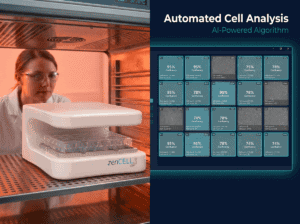
在孵化器中实时观看 zenCELL 猫头鹰图像。可用。.