
Capture every moment of cell behavior — migration, division, morphology changes — with automated time-lapse imaging inside your CO₂ incubator. 24 wells in parallel. Images every 5 minutes. No manual timepoints. No incubator disruption.
Time-lapse cell imaging captures sequential brightfield images of living cells at defined intervals — from minutes to hours — over the course of an entire experiment. The result is a continuous kinetic dataset that reveals cellular dynamics invisible to endpoint assays.
Unlike conventional microscopy that requires removing cells from the incubator, zenCELL owl captures time-lapse sequences automatically inside your CO₂ incubator — without disrupting temperature, humidity or gas exchange.
All validated across published research. Label-free. Brightfield. Inside the incubator.
Full wound closure kinetics — gap area every 5 minutes, automated t½ calculation, 24 conditions in parallel.
Continuous growth curves without manual counting. Automated alerts at defined confluency thresholds.
Real-time cell viability after drug addition. Capture onset, peak effect, and recovery — IC50 without endpoint assays.
Monitor 3D structure formation and growth over 14 days. Automated size and morphology tracking.
Morphology changes visible hours before contamination becomes critical. Remote alerts save experiments.
96 & 384-well time-lapse screening with XYZ stage add-on. Kinetic data across hundreds of conditions.
| Criterio | zenCELL owl · Automated | Manual Microscopy |
|---|---|---|
| Imaging interval | Every 5 minutes · continuous | Every 2–6 hours · manual |
| Incubator disruption | ✓ None — device stays inside | ✗ Every timepoint |
| Operator time | Setup once · runs unattended | Present at every timepoint |
| Missed timepoints | ✓ Impossible | ✗ Nights / weekends / illness |
| Data consistency | ✓ Identical conditions every frame | ✗ Variable — different operators |
| Wells in parallel | 24 simultaneously | 1 at a time |
| Monitoreo remoto | ✓ Any device, anywhere | ✗ Must be in lab |
| Output format | AVI · PNG · CSV · ImageJ | Manual photos / inconsistent |
Watch zenCELL owl capture real cells in real time — scratch assay, confluency monitoring, spheroid growth — all in a free 20-minute MS Teams demo.
 English English
 Deutsch
 Français
 Español
 简体中文 English English Deutsch Français Español 简体中文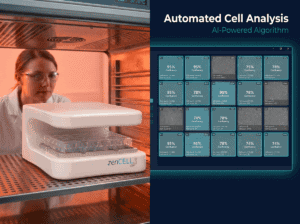
Mira la imagen de zenCELL owl en vivo dentro de una incubadora. Disponible.